Every check by registration has the same weakness: the registration can be changed. A private plate goes on, a cloned plate goes on, and the number you type in describes a different car. The chassis number is different. The 17-character VIN is built into the car, stamped into the body, printed on the plate under the windscreen and recorded on the V5C. It is the car’s own name.
The VIN Decode report answers one question: what does this chassis number say the car is? This guide explains what the report shows, where the data comes from, what it cannot tell you, and how to compare the answer with the car in front of you and its logbook.

1. What the VIN Decode Report Is
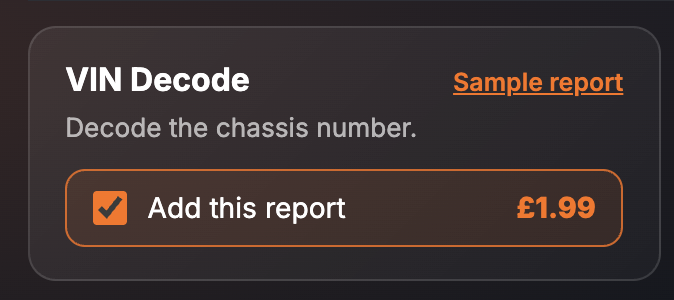
It is a single paid report inside the SortedCars Paid Check builder. Unlike the other reports on the page, its input is the 17-character VIN, not the registration. You enter the chassis number, tick the report, and it is built while you wait and shown on screen. It costs £1.99 on its own.
The card describes it in four words: “Decode the chassis number.” You will find the VIN on the V5C logbook, on the plate at the base of the windscreen, and on the plate under the bonnet. The report header describes its coverage as “1 paid report”, shows the source as Cartell, and carries the “NO DATA GUARANTEE” badge.
2. What the Report Shows
The finished report has one section, VIN Decode. Every screenshot below is sample data from our test environment: the chassis number and the decoded make, model and year are fixed test records, not a real car.
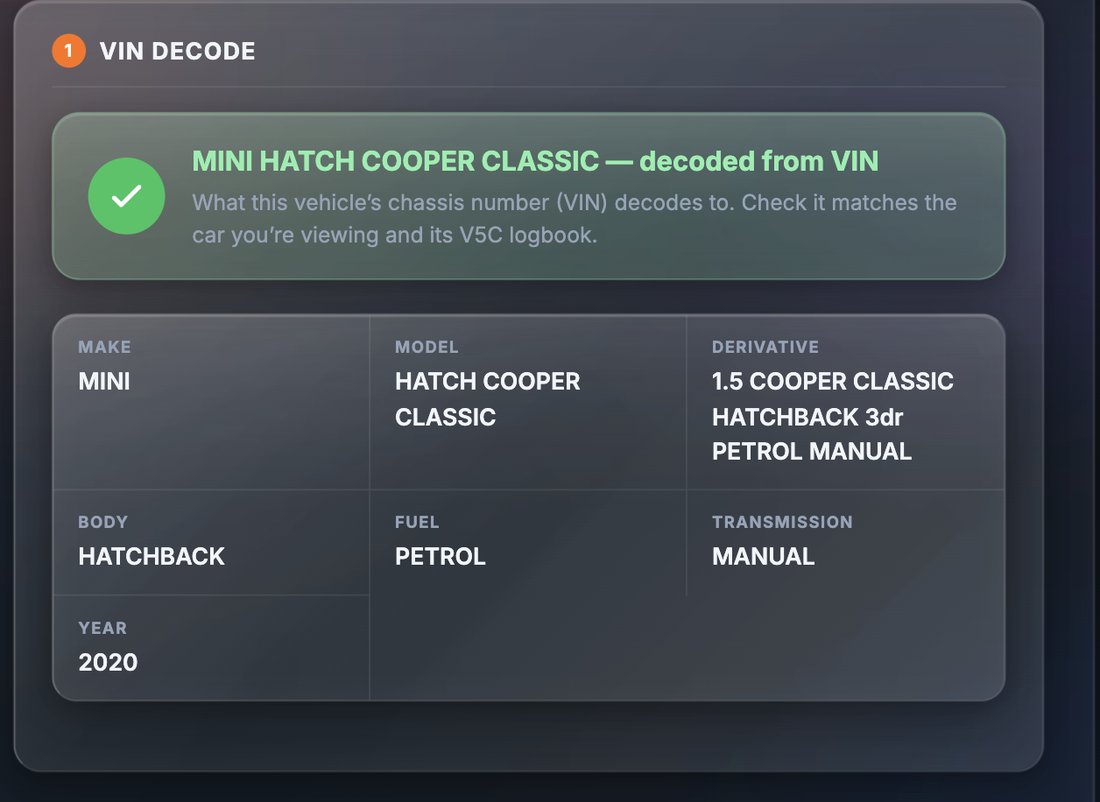
The section opens with a verdict banner that names the decoded vehicle: “<Make Model> — decoded from VIN — What this vehicle’s chassis number (VIN) decodes to. Check it matches the car you’re viewing and its V5C logbook.” Below the banner, the report lists:
| Field | What it tells you |
|---|---|
| Make | The manufacturer the chassis number belongs to |
| Model | The model the chassis number was built as |
| Derivative | The version or trim the chassis number decodes to. Compare it with the badge on the boot and the advert |
| Body | The body style — hatchback, saloon, estate and so on |
| Fuel | The fuel type the car was built with |
| Transmission | Manual or automatic, as built |
| Year | The year the chassis number decodes to. Compare it with the V5C and the plate’s age code |
3. Why It Matters
A cloned car wears the plates of a genuine car of the same make, model and colour. Checked by registration, it looks like the genuine car. A ringed car has had a chassis plate from a written-off shell fitted so that its identity matches a clean record. In both cases the registration tells you what the seller wants you to see. The chassis number tells you what the factory built.
Decoding the VIN gives you a second, independent description of the car: the make, model, derivative, body, fuel, transmission and year that the chassis number was issued for. Set that against the car in front of you and the V5C. If the VIN decodes to a diesel estate and you are looking at a petrol hatchback, the chassis number does not belong to this car. If it decodes to a base model and the boot badge says a top trim, ask why. If the year does not fit the plate’s age code, ask again. Our number plates guide shows what year each age code stands for.
A mismatch is a cloning or ringing signal, and it is one the seller cannot talk around: the chassis number is stamped into the car. Our guide to spotting a cloned car covers the rest of the signs.
4. Where the Data Comes From
The decoded vehicle data in this report is provided by Cartell; the report header shows the source as Cartell. The report decodes the structure of the 17-character chassis number to the make, model, derivative, body, fuel, transmission and year it was issued for.
SortedCars does not hold or create chassis number records. We ask Cartell to decode the VIN at the moment you build the report and show you every value we receive.
5. What It Cannot Tell You
An honest report comes with honest limits.
- It decodes the number you type. If the VIN is copied from an advert or read out by the seller, the report describes that number, not the car. Read the VIN from the car itself.
- It does not check the plate against the VIN. The VIN Decode tells you what the chassis number is. Whether that chassis number belongs with the registration on the car is the job of the Full Vehicle Identity check.
- It is not a history check. Stolen, finance, write-off, mileage and keeper history are separate reports on the same page. The report shows seven fields about what the car was built as, and nothing about what has happened to it since.
- It does not show the DVLA vehicle details. Coverage is the one paid section. The free check at /reports/free-car-check shows the DVLA vehicle data by registration, which gives you a second description to compare.
- It is a snapshot. The result reflects the decode at the moment the report is built.
Check a Car’s Full History
Check its history before you buy — free DVLA and MOT data in seconds.
6. What To Do With the Result
The report is only useful next to the car and the logbook. Here is the comparison to make.
Step 1 — Read the VIN from the car. Find it on the plate at the base of the windscreen, on the plate under the bonnet, and stamped into the body. Check that all of them agree, that none of them looks re-stamped, re-riveted or freshly painted, and that the number matches the V5C. That is the number to decode.
Step 2 — Compare the decode with the car. Make, model, derivative, body, fuel and transmission should describe the car you are standing next to. The year should fit the age code on the plate and the first registration date on the V5C.
Step 3 — Compare the decode with the V5C. The logbook records the make, model, body type, fuel and engine details. The gov.uk guidance on buying a vehicle lists the V5C checks to make; our V5C logbook guide goes through the document field by field.
Step 4 — Run the free check by registration. The free check shows the DVLA vehicle data for the plate. You now have three descriptions of the car: from the VIN, from the registration and from the V5C. All three should agree.
Step 5 — If they do not agree, walk away. A chassis number that decodes to a different car from the one wearing the plate is a cloning or ringing signal. Do not confront the seller. Report it to the police on 101 — police.uk explains how to reach your local force. If you have already paid, report it to the police first and then to Action Fraud.
7. Price and Where It Sits
| How to buy it | Price | What you get |
|---|---|---|
| VIN Decode on its own | £1.99 | The VIN Decode section: make, model, derivative, body, fuel, transmission and year decoded from the chassis number |
The VIN Decode is built from the chassis number, so it sits alongside the registration-based reports rather than inside them. Pair it with the Full Vehicle Identity check for the plate-to-VIN match and the Stolen Vehicle Check for the Police National Computer marker. Car Check Packs start at £2.99. Prices are as shown on the site at the time of writing; the page price is always the price you pay.
Final Thoughts
The registration is a label. The chassis number is the car. A £1.99 decode tells you what that number was issued for, and the comparison with the metal and the logbook takes five minutes on the driveway.
Read the VIN from the car, decode it, and set the seven fields against the car and the V5C. If they agree, move on to the history checks. If they do not, you have found the one thing a seller cannot explain away.
This guide provides general information and is not legal advice. The decoded vehicle data in the VIN Decode report is provided by Cartell from the 17-character chassis number entered at the time the report is built; it describes what that chassis number was issued for and cannot confirm that the number entered is the one stamped into the car, which only a physical check can do. If a car’s chassis number does not match the car or its V5C, do not buy it and contact the police on 101; if you have already paid, report it to the police and to Action Fraud. SortedCars resells the data named above and has no other connection with the providers, garages or insurers mentioned.
Frequently Asked Questions
Check Any Car’s History for Free
MOT history, mileage analysis, and DVLA data — completely free with SortedCheck.