An advert gives you a model name, a year and a mileage. It rarely tells you the kerb weight, the towing limit, the Euro NCAP rating, the published fuel economy figures, or whether the car was imported, exported or scrapped and put back on the road. Those facts decide whether the car suits you, and whether the seller’s story matches the vehicle in front of you.
The Spec & Options report answers one question: what exactly is this car, and what are its technical facts? This guide explains what the report shows, where the data comes from, what it cannot tell you, and how to use it before you buy.

1. What the Spec & Options Report Is
It is a single paid report inside the SortedCars Paid Check builder. You enter the registration, tick the report, and it is built while you wait and shown on screen. It costs £1.99.
The card is headed “Spec & Options — Trim, equipment and list price.” on the Paid Check page. It has no extra inputs. The report gives you technical data and model specification; how much equipment and list-price content comes back depends on what UK Vehicle Data holds for the model.
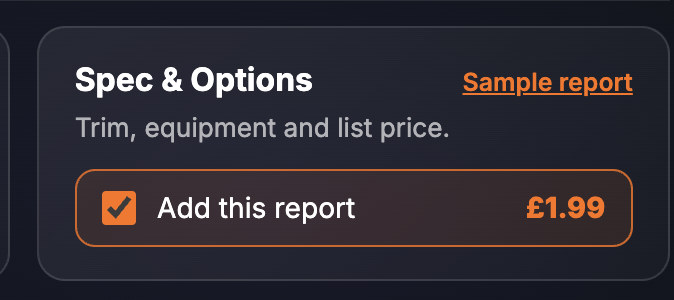
It is the cheaper of the two spec reports on the page. The Factory Build Sheet (£5.99) lists the option codes fitted to the individual car’s VIN; Spec & Options describes the model, its identity records and its technical data. They answer different questions.
2. What the Report Shows
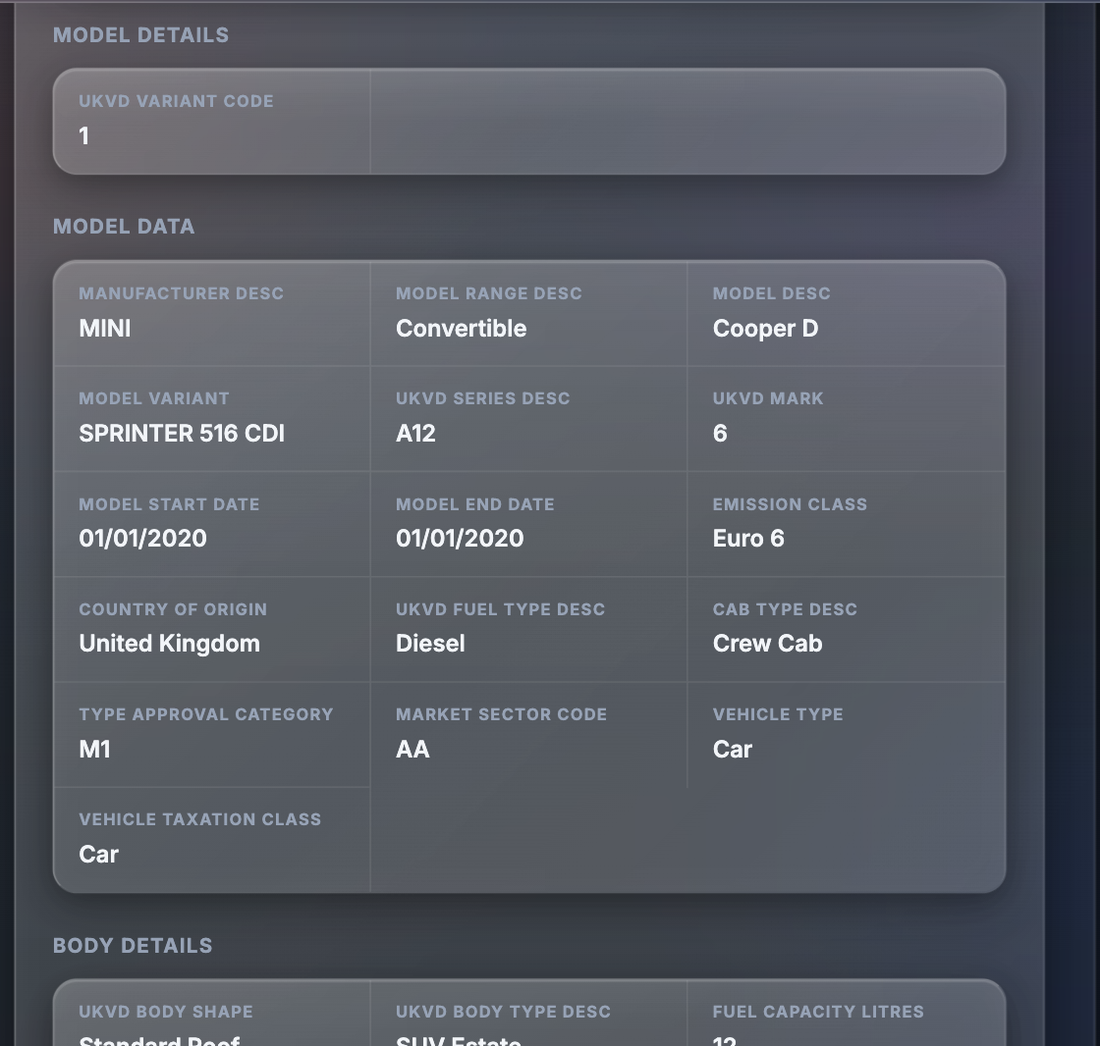
The finished report is one long section, Spec & Options, broken into sub-groups. Every screenshot below is sample data from our test environment: the registrations are official DVLA test numbers and the identifiers, dates and figures are fixed test records, not a real car.
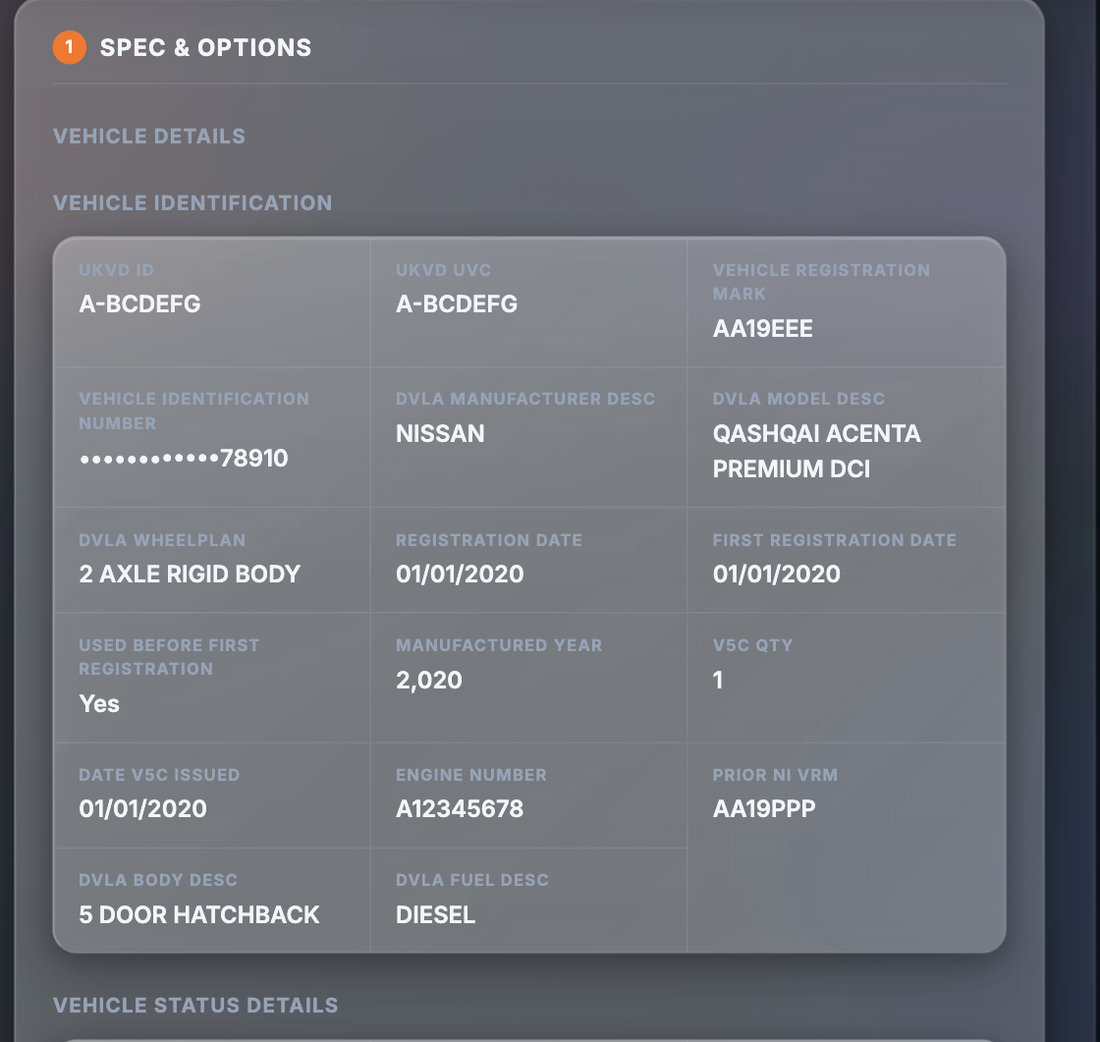
The section starts with identity and status records, then works through the model, body, engine, transmission, safety, emissions, performance and economy data. The sub-groups and what each contains:
| Field | What it tells you |
|---|---|
| Vehicle identification | UKVD ID and UVC, registration mark, VIN (masked), DVLA manufacturer, model, wheelplan, body and fuel descriptions, registration and first registration dates, used before first registration, manufactured year, V5C quantity and date issued, engine number, prior NI VRM |
| Vehicle status | Whether the car is a non-EU import, imported, exported (and when), scrapped (and when), or has had a certificate of destruction issued |
| Vehicle excise duty | CO2 g/km, DVLA CO2 band, 12-month RFL for year 1, and 6- and 12-month RFL for years 2 to 6 (premium and standard) |
| Colour details | Current colour, number of colour changes, original colour, last colour, date of last colour change |
| Keeper change list | Number of previous keepers, date of last keeper change |
| Plate change list | Current VRM, transfer type, date of receipt, previous VRM, cherished plate transfer date |
| Model details and model data | UKVD variant code, manufacturer, model range, model, variant, series, mark, model start and end dates, emission class, country of origin, fuel type, cab type, type approval category, market sector code, vehicle type, taxation class |
| Body details | Body shape and type, fuel capacity, axles, doors, seats, payload volume, wheelbase type, platform and whether it is shared |
| Dimensions and weights | Height, length, width, wheelbase, load length; minimum kerb weight, gross train weight, unladen weight, payload weight, gross vehicle weight, gross combined weight |
| Power source and ICE details | ICE or electric; engine family, stroke, valves per cylinder, aspiration, cylinders and arrangement, engine location, valve gear, engine description, bore, engine manufacturer, fuel and power delivery, capacity in cc, badged size in litres |
| Electric details (EVs and hybrids) | Hardware, warranty, WLTP range figures, economy, over-the-air software, charge cables, superchargers, battery details, charge ports, charge times, electric motors |
| Transmission | Transmission type, number of gears, location, driving axle, drive type |
| Euro NCAP | Overall star rating and the child occupant, adult occupant, pedestrian and safety assist scores |
| Emissions | Whether a fuel catalyst is fitted, CO2 g/km |
| Performance | Torque and power with the rpm they arrive at, 0–60 mph, 0–100 km/h, maximum and top speed |
| Fuel economy | NEDC extra urban, cold and combined figures in l/100km and mpg |
| Sound levels | Stationary dB and rpm, drive-by dB |
3. Why It Matters
Some of the report is about fit. If you tow, the gross train weight matters more than the horsepower. If you carry five people and luggage, seats, payload and load length matter. If you commute into a city, the emission class and CO2 figure matter for clean air zone charges (official checker: gov.uk/clean-air-zones) — see our guide to ULEZ compliance. None of this is in the advert.
Some of it is about identity. The report carries DVLA descriptions, the engine number, the V5C count and issue date, the plate change list and the colour change history. If the engine number on the report does not match the engine in the car, or the colour history does not match the paint, you have found something the seller needs to explain. Our guides to the V5C logbook and keeper changes explain what those records normally look like.
And some of it is about money you will spend later. The excise duty block shows the year-one and years-two-to-six rates, premium and standard, so you can see what the road tax looks like before you commit. The official rate tables are on GOV.UK; the report saves you working out which row applies.
4. Where the Data Comes From
The report is provided by UK Vehicle Data (UKVD). UKVD matches the registration to its own vehicle record and model data, and combines that with DVLA vehicle descriptions. Each block of the report reflects what UKVD holds for the model and the registration.
SortedCars does not hold or create specification records. We ask UK Vehicle Data for the record at the moment you build the report and show you every value we receive. Where UKVD holds no value for a field, the report cannot invent one.
5. What It Cannot Tell You
A specification record describes the model and the registered vehicle. It has limits.
- Equipment and list-price content depends on what UKVD holds for the model. The report gives technical data and model specification; do not assume a full equipment list or a list price will appear for every model.
- It is not a build sheet. It does not list the option codes fitted to this car’s VIN. For that, use the Factory Build Sheet.
- It cannot see the car today. Performance, economy and sound figures are the model’s published data, not a measurement of this car in its current condition.
- It is not a full history check. The keeper, plate and colour blocks are summaries. Finance, theft, write-off and mileage are separate reports in the Car History section.
- It is not a valuation. For what the car is worth, use the Current Valuation report.
Check a Car’s Full History
Check its history before you buy — free DVLA and MOT data in seconds.
6. What To Do With the Result
Step 1 — Check the status flags. Import, export, scrapped and certificate of destruction. Anything unexpected here is a stop-and-ask moment.
Step 2 — Match the identity records to the car. Engine number against the engine, colour against the paint, body and fuel descriptions against what you see. Note the V5C quantity and issue date and compare them with the logbook the seller shows you.
Step 3 — Check the car does what you need. Towing weight, seats, payload, dimensions for your parking space, economy figures for your mileage, and the excise duty block for the running cost. See Running Costs for more on that side.
Step 4 — Use the plate and colour lists with the history checks. A plate change or colour change is not a problem in itself, but it is worth knowing about before you read the rest of the car’s history.
If a dealer has described a car as something it is not, that is a misdescription and Citizens Advice explains your rights. GOV.UK’s guide to buying a vehicle lists the documents to see, and the free SortedCars check gives you the DVLA data and MOT history to set alongside this report.
7. Price and Where It Sits
| How to buy it | Price | What you get |
|---|---|---|
| Spec & Options on its own | £1.99 | The full Spec & Options section: identity, status, excise duty, colour, keeper and plate lists, model data, body, dimensions, weights, engine, transmission, Euro NCAP, emissions, performance, economy and sound levels |
The Spec & Options report is bought on its own from the Paid Check page. For the option codes fitted to the individual car, the Factory Build Sheet is £5.99. Prices are as shown on the site at the time of writing; the page price is always the price you pay.
Final Thoughts
For £1.99, built while you wait, the Spec & Options report turns a model name into a full technical record: what the car is, what it weighs, what it tows, how it was registered, and whether it has ever been imported, exported or scrapped.
Read the status flags first, match the identity records to the car, check the numbers that matter for how you will use it, and then go on to the history checks. It is one of the cheapest reports on the page and one of the more useful ones to read before a viewing.
This guide provides general information and is not legal or financial advice. Specification data in the Spec & Options report is provided by UK Vehicle Data from its vehicle and model records combined with DVLA descriptions at the time the report is built; equipment and list-price content depends on what UKVD holds for the model, and performance and economy figures describe the model as published, not the individual car. Vehicle tax rates are published on GOV.UK. If a car has been misdescribed by a dealer, Citizens Advice explains your rights. SortedCars resells the data named above and has no other connection with the providers, manufacturers or dealers mentioned.
Frequently Asked Questions
Check Any Car’s History for Free
MOT history, mileage analysis, and DVLA data — completely free with SortedCheck.