“Full service history” appears in a great many adverts. What sits behind it varies. Sometimes it is a stamped book and a folder of invoices. Sometimes it is a book with a few stamps and gaps between them. And on a growing number of cars there is no book at all, because the manufacturer keeps the service record digitally and the garage enters each service into the manufacturer’s network.
The OE Service History report answers one question: what does the manufacturer’s digital service network hold for this car? This guide explains what the report shows, why it is priced per record, where the data comes from, what it cannot tell you, and how to use it alongside the paperwork the seller hands you.

1. What the OE Service History Report Is
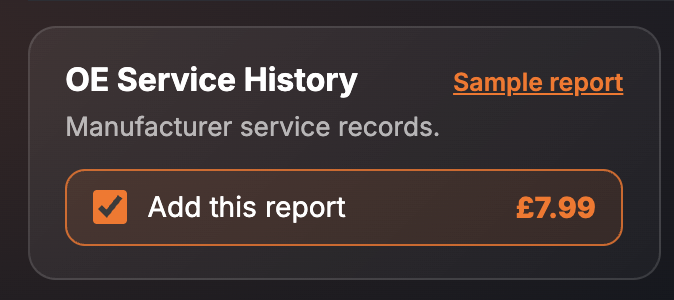
It is a single paid report inside the SortedCars Paid Check builder. You enter the registration, tick the report, and it is built while you wait and shown on screen. The card describes it simply: “Manufacturer service records.”
The price shown on the card is £7.99, and this report is priced per record returned. A car with one digital service record costs one record’s worth; a car with a longer digital history returns more records and costs more. The catalogue entry for the report says exactly that: “Priced per record returned”. Bear it in mind when you tick it on a car that has been serviced at a main dealer every year of its life.
2. What the Report Shows
The finished report opens with the vehicle details from the DVLA and DVSA, then the OE Service History section. The report header describes its coverage as “1 paid report + DVLA vehicle details” and shows the source as DVLA and Ezyvin. Every screenshot below is sample data from our test environment: the registration is an official DVLA test number and the service record, mileage and work items are fixed test records, not a real car and not a real garage visit.
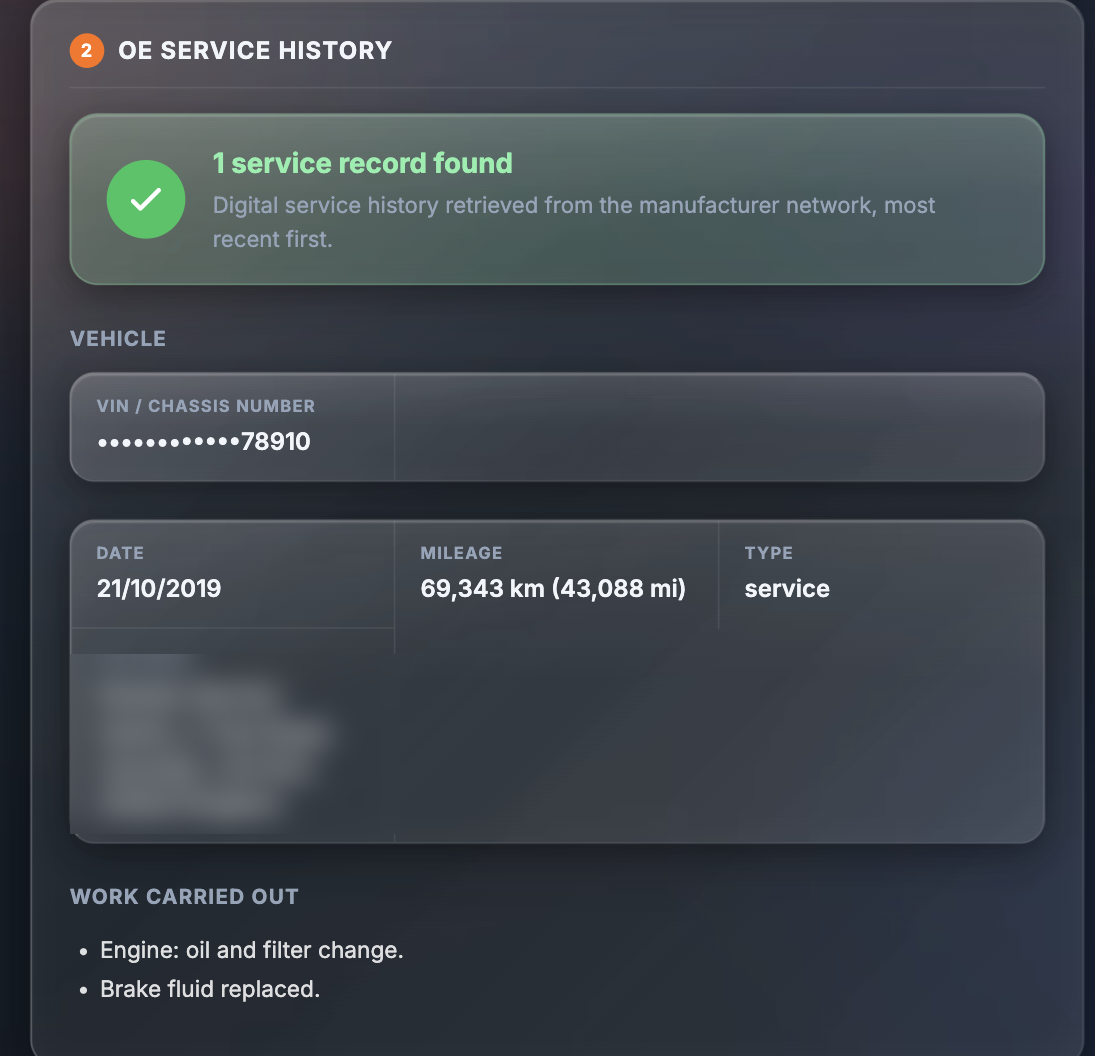
The section opens with a verdict. In the sample it reads: “1 service record found — Digital service history retrieved from the manufacturer network, most recent first.” Under that sits a short vehicle block, then one block per service. The report lists:
| Field | What it tells you |
|---|---|
| VIN / chassis number | The chassis number the records are held against, shown masked. Check the last characters against the V5C and the plate under the bonnet |
| Date | When the service was carried out. Records are shown most recent first |
| Mileage | The mileage at the service, in kilometres and miles. Compare it with the MOT history and the odometer |
| Type | The kind of visit, for example “service” |
| Provider | The garage that entered the record, with its address |
| Work carried out | A bullet list of what was done, for example “Engine: oil and filter change” or “Brake fluid replaced” |
The section carries the line “Data provided by Ezyvin”. If the manufacturer network holds no record for the car, the section says so.
3. Why It Matters
Service history affects two things: what the car is worth, and what it will cost you. A car that has had its oil, filters and fluids changed on schedule has a better chance of a long life than one that has not, and a buyer will pay more for it. That is why “full service history” carries a premium in the price — and why it is worth checking rather than taking on trust.
A paper book can be lost, and it can be stamped by anyone with a stamp. A digital record on the manufacturer’s network is entered by the garage that did the work, against the car’s chassis number, with the date, the mileage and the items done. It is a record you can compare with the book, the invoices, the MOT history and the odometer. Where the four agree, you have a car whose upkeep you can trust. Where they disagree, you have a question to put to the seller before you talk about price.
There is a plainer reason too. A seller who claims full main-dealer history for a car that shows no digital record at all has some explaining to do. It may be innocent — see section 5 — but you want to hear the explanation before you decide how much to rely on everything else they tell you.
4. Where the Data Comes From
The service records in this report are provided by Ezyvin, which retrieves the digital service history from the manufacturer’s service network. The vehicle details at the top of the report come from the DVLA and DVSA.
SortedCars does not hold or create service records. We ask Ezyvin for the records on the car at the moment you build the report and show you every value we receive.
5. What It Cannot Tell You
An honest report comes with honest limits.
- It covers only what the manufacturer’s digital network holds. Many makes keep a digital service book, and services logged into it appear here. A service done by an independent garage that did not enter it into the manufacturer network, or a service on an older car from before the digital book existed, may not appear.
- A missing record is not proof of no service. The car may have been serviced on paper only. Check the stamped book and the invoices before you decide the history is thin.
- It does not judge the work. The report lists what the garage recorded. It cannot tell you whether the oil was the right grade or the job was done well.
- The cost depends on the car. Because the report is priced per record returned, you do not know the final cost until you know how many records the car has.
- It is a snapshot. The result reflects the records on the network at the moment the report is built. A service done last week may not yet be there.
- It is not a provenance check. Finance, stolen, write-off and mileage checks are separate reports on the same page.
Check a Car’s Full History
Check its history before you buy — free DVLA and MOT data in seconds.
6. What To Do With the Result
Read the report next to the paperwork, not instead of it.
Step 1 — Check the VIN. The masked chassis number on the report should end in the same characters as the VIN on the V5C and on the car itself. If it does not, the records are not for this car.
Step 2 — Match each record to the book and the invoices. For each digital record, find the matching stamp or invoice. For each stamp, look for the matching digital record. Where a stamp has no record and no invoice, ask the seller which garage did the work and whether they have any proof.
Step 3 — Line the mileages up with the MOT history. Use the free MOT history checker on gov.uk and put the service mileages in date order alongside the MOT mileages. The line should rise steadily. A service mileage that is higher than a later MOT mileage points to a clocking problem; our guide to reading MOT history explains how to read the pattern.
Step 4 — Read the work items. Look for the jobs that matter on this car at this mileage: oil and filter, brake fluid, coolant, cambelt or chain, gearbox oil. A record that lists only an oil change year after year tells you the bigger items may still be waiting for you.
Step 5 — Price it in. If the digital history is shorter than the advert claims, the car is not the car that was described. Either the seller produces the missing proof, or the price should reflect the gap. If you have already bought a car that was described as having a service history it does not have, Citizens Advice explains your rights when goods do not match their description.
7. Price and Where It Sits
| How to buy it | Price | What you get |
|---|---|---|
| OE Service History on its own | £7.99 | Priced per record returned. The service history section plus the DVLA vehicle details |
| Complete + History Pack | £14.99 | Includes the OE Service History report alongside the Full Provenance Report |
| Premium Protected Pack | £24.99 | Includes the OE Service History report in the top-level pack |
The OE Service History report is not part of the Full Provenance Report, which covers provenance rather than servicing. Prices are as shown on the site at the time of writing; the page price is always the price you pay.
Final Thoughts
Service history is the part of a car’s past that decides how much of its future you will pay for. The OE Service History report shows what the manufacturer’s network actually holds, record by record, with dates, mileages and the work done.
It costs £7.99 per record returned and is built while you wait. Run it, lay the records beside the book, the invoices and the MOT history, and let the four of them agree before you agree a price.
This guide provides general information and is not legal advice. Service records in the OE Service History report are provided by Ezyvin from the manufacturer’s digital service network and show the records held at the time the report is built; a service not entered into that network will not appear, and a missing record is not proof that a service was not done. If a car was sold as having a service history it does not have, Citizens Advice explains your rights. SortedCars resells the data named above and has no other connection with the providers, garages or insurers mentioned.
Frequently Asked Questions
Check Any Car’s History for Free
MOT history, mileage analysis, and DVLA data — completely free with SortedCheck.