Vehicle Excise Duty — road tax, car tax, VED, whichever name you use — is a fixed yearly cost that comes with the car. It does not depend on how far you drive or how carefully you look after the car. It depends on what the car is: its CO₂ figure, its fuel type and the date it was first registered. Two cars that look identical on the forecourt can sit in different tax bands, and the difference adds up over every year you own it.
The Car Tax (VED) report answers one question before you commit: what will the standard 12-month tax rate be for this specific car? This guide explains what the report shows, where the data comes from, what it cannot tell you, and how it fits alongside the free tax information you can already get.

1. What the Car Tax (VED) Report Is
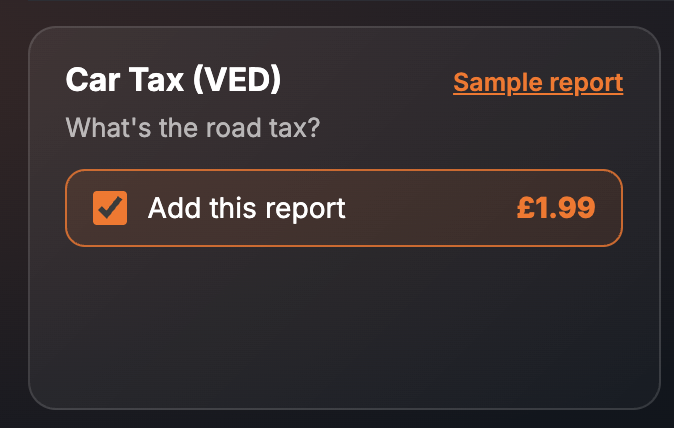
It is a single paid report inside the SortedCars Paid Check builder. You enter the registration, tick the report, and it is built while you wait and shown on screen. It costs £1.99 on its own and needs no extra input from you.
On the Paid Check page the card is titled Car Tax (VED) with the strapline “What’s the road tax?”. The report carries a “NO DATA GUARANTEE” badge in its header, which is normal for a rate look-up of this kind. Its coverage line reads “1 paid report + DVLA vehicle details”.
One thing to know before you buy. The free SortedCars car check already tells you the car’s tax status — whether it is taxed, untaxed or declared SORN, and when the current tax runs out. This paid section is about the rate: the amount of VED the car attracts for a standard 12-month period. They are different questions, and you may only need one of them answered.
2. What the Report Shows
The finished report opens with the vehicle details from the DVLA — registration, make, model, colour, year and fuel — and then the Car Tax (VED) section. Every screenshot below is sample data from our test environment: the registration is an official DVLA test number and the rate, CO₂ and date figures are fixed test records, not a real car and not a real tax rate.
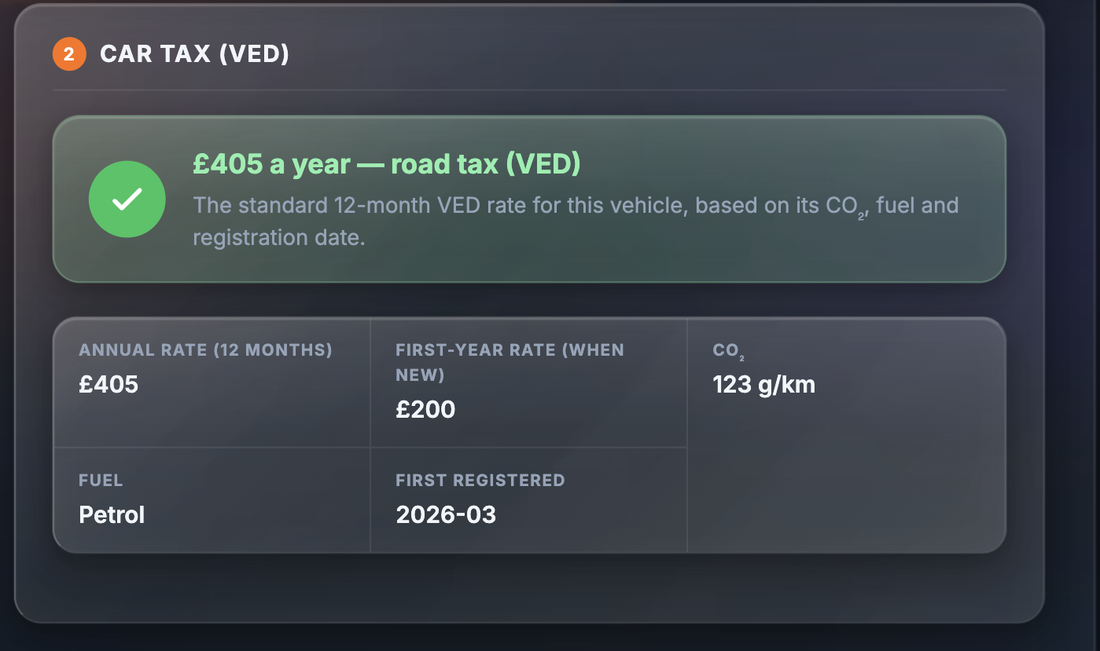
The section leads with a one-line verdict — the standard 12-month VED rate for the vehicle, based on its CO₂, fuel and registration date — and then lists the values behind it:
| Field | What it tells you |
|---|---|
| Annual rate (12 months) | The standard 12-month VED rate the report has matched to this car. This is the headline figure |
| First-year rate (when new) | The rate that applied in the car’s first year of registration. Useful context for how the car was banded when new, not what you will pay now |
| CO₂ (g/km) | The official CO₂ emissions figure recorded for the car. For cars taxed under the CO₂ bands, this is the number that sets the rate |
| Fuel | Petrol, diesel, electric, hybrid or another fuel type as recorded. Fuel type affects which rate table applies |
| First registered (YYYY-MM) | The month the car was first registered. Cars registered before and after certain dates are taxed under different systems, so this date matters as much as the CO₂ figure |
The three inputs are shown next to the rate so you can see how the answer was reached. If any of them looks wrong for the car in front of you, treat the rate with suspicion and check the V5C.
3. Why It Matters
Road tax is easy to under-estimate because it is paid once a year, or in instalments that feel small. Over three or four years of ownership it is a real sum, and it is fixed: you cannot drive more gently to reduce it.
The system is also layered. Cars registered in different periods are taxed on different bases, and the rules have changed more than once. The same model can fall on either side of a date boundary depending on when the first keeper registered it. That is why the report shows the first-registration month alongside the CO₂ figure: together they decide which table applies.
Nobody takes the car away over a tax band. But an unexpected rate can turn a “cheap to run” car into one that costs more each year than the model you passed over.
Remember too that tax does not transfer with the car. When the keeper changes, the seller’s tax ends and you must tax the car yourself before you drive it. The DVLA explains the process at gov.uk/buy-a-vehicle. Knowing the rate in advance means no surprise when you do.
4. Where the Data Comes From
The vehicle details at the top of the report come from the DVLA, with MOT-related vehicle data from the DVSA. The VED rate section is provided by OneAuto, which matches the car’s recorded CO₂, fuel type and first-registration date to the applicable rate. The report’s source line reads “DVLA · OneAuto”.
SortedCars does not hold or create tax rate records. We ask the provider for the rate on the car at the moment you build the report and show you every value we receive.
5. What It Cannot Tell You
An honest report comes with honest limits.
- It is not the only way to see the rate. The official VED rate tables are published free on gov.uk. The paid report saves you the work of finding the car’s CO₂ figure and first-registration date and reading the right table, but it is a convenience, not exclusive information.
- It is not a statement of current law. Rates are set by HM Treasury and change each April. The figure shown is the rate matched at the time the report is built. For the rate that applies on the day you tax the car, use the gov.uk tables or the DVLA’s own taxing service.
- It does not show tax status. Whether the car is currently taxed, untaxed or on SORN is in the free check, not this section.
- It does not show monthly or six-month prices. The report gives the standard 12-month rate. Six-month and monthly options are priced separately, and those figures are on gov.uk.
- It relies on the recorded figures. If the CO₂ or fuel type on the DVLA record is wrong, the rate will be matched to the wrong band. The report shows the inputs so you can spot this.
- It is not a history check. Finance, stolen, write-off and mileage are separate reports. The Car History guides cover those.
Check a Car’s Full History
Check its history before you buy — free DVLA and MOT data in seconds.
6. What To Do With the Result
Step 1 — Compare the inputs with the V5C. The CO₂ figure, fuel type and first-registration date on the report should match the logbook. If the seller cannot show you the V5C, that is a separate problem; our V5C logbook guide explains what to look for.
Step 2 — Confirm the rate on gov.uk. Take the CO₂, fuel and registration date to gov.uk/vehicle-tax-rate-tables and read the rate for the current tax year. This is the figure that applies on the day you tax the car.
Step 3 — Add it to the yearly budget. Put the rate next to insurance, fuel and servicing. If you are comparing two cars, run the report on both; the one with the lower purchase price is not automatically the cheaper car to own.
Step 4 — Tax the car before you drive it. Tax does not pass from seller to buyer. Use the new-keeper slip from the V5C to tax it online or by phone as soon as the sale is agreed, following the steps at gov.uk/buy-a-vehicle.
VED and ULEZ or Clean Air Zone charges are separate things. The free check covers ULEZ and CAZ status (the official checkers are at gov.uk/clean-air-zones and TfL); our ULEZ guide explains the rules.
7. Price and Where It Sits
| How to buy it | Price | What you get |
|---|---|---|
| Car Tax (VED) report on its own | £1.99 | The VED section plus the DVLA vehicle details shown above |
| PCP Buyer Pack | £4.99 | Car tax alongside the finance check, current valuation and future value |
| Essential Pack | £5.99 | Car tax inside the entry-level provenance pack |
| Essential Protected Pack | £7.49 | The Essential Pack with added protection |
| Complete Pack | £8.99 | Car tax with the wider running-cost and valuation reports |
| Complete + EV Pack | £11.99 | Complete Pack with the electric-vehicle reports |
| Shortlist Pack | £11.99 | Covers 3 cars, so you can compare tax across a shortlist |
| Complete + History Pack | £14.99 | Complete Pack with the history reports |
| Premium Protected Pack | £24.99 | The full set of reports with protection included |
The Car Tax (VED) report is not part of the Full Provenance Report. Prices are as shown on the site at the time of writing; the page price is always the price you pay.
Final Thoughts
Road tax is the running cost you can know exactly before you buy, because it is fixed by the car rather than by you. The £1.99 report reads the car’s CO₂, fuel and registration date and matches them to the standard 12-month rate, with the inputs shown so you can check them against the V5C.
Treat the figure as a look-up, not a promise: confirm it on gov.uk for the current tax year, remember that the free check already covers tax status, and tax the car in your own name before you drive it away.
This guide provides general information and is not legal or financial advice. The Car Tax (VED) report matches the vehicle’s recorded CO₂, fuel type and first-registration date to a VED rate supplied by OneAuto at the time the report is built; VED rates are set by HM Treasury and change each April, so confirm the current rate on gov.uk before taxing the car. SortedCars resells the data named above and has no other connection with the providers, garages or insurers mentioned.
Frequently Asked Questions
Check Any Car’s History for Free
MOT history, mileage analysis, and DVLA data — completely free with SortedCheck.